Remix Project
Preview


The Download Button component in Framer lets you easily share downloadable files such as documents, media, or any other digital resources directly from your website. It is ideal for sharing assets like templates, PDFs, design files, or other resources with your visitors.
Why Use It
Adding a download button makes it simple for users to access your files with a single click. Whether you are offering a downloadable resource or sharing media files, this component handles everything for you.
How to Use the Download Button
Follow these steps to set up the Download Button in your Framer project:
Add the Component
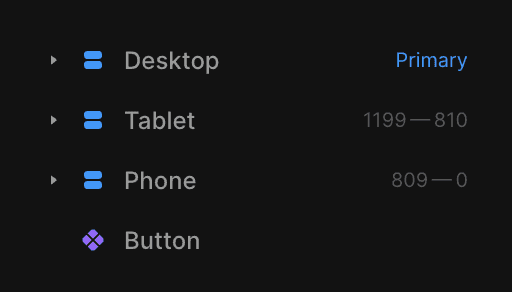
Drag and drop the Download component from the component list onto your canvas.Select the ButtonChoose the button or element that will serve as the clickable download trigger.Make sure this element is placed outside the Desktop, Tablet, and Mobile breakpoints.
Set the File Source
You can choose between two options for your downloadable file:Upload: Select Upload and choose the file from your local storage.
URL: Select URL and paste the link to an external file.
The Result
Once configured, the Download Button automatically creates a working download link. Users can quickly access the file or resource you’ve provided without leaving the page.
This component works as a simple and effective way to share resources directly through your Framer site!
Don't forget to share this post!