
If you have ever tapped a link on mobile and seen a blue box or highlight appear for a moment, you are not alone. This is a default behavior in mobile browsers. It is meant to show that an element is “tappable,” but in many designs it looks distracting or completely out of place.
In this guide, I will show you how to remove that blue box globally using a small CSS snippet, and how to control tap color inside Framer when needed.
Why does the blue box appear?
Mobile browsers (especially Safari on iOS) add a tap highlight color to show the user where they tapped. If you do not override it, the browser uses the default blue highlight.
This is not controlled by Framer, so even if your design looks perfect on desktop, mobile devices can add this highlight unless you disable it.
How to remove the tap highlight completely?
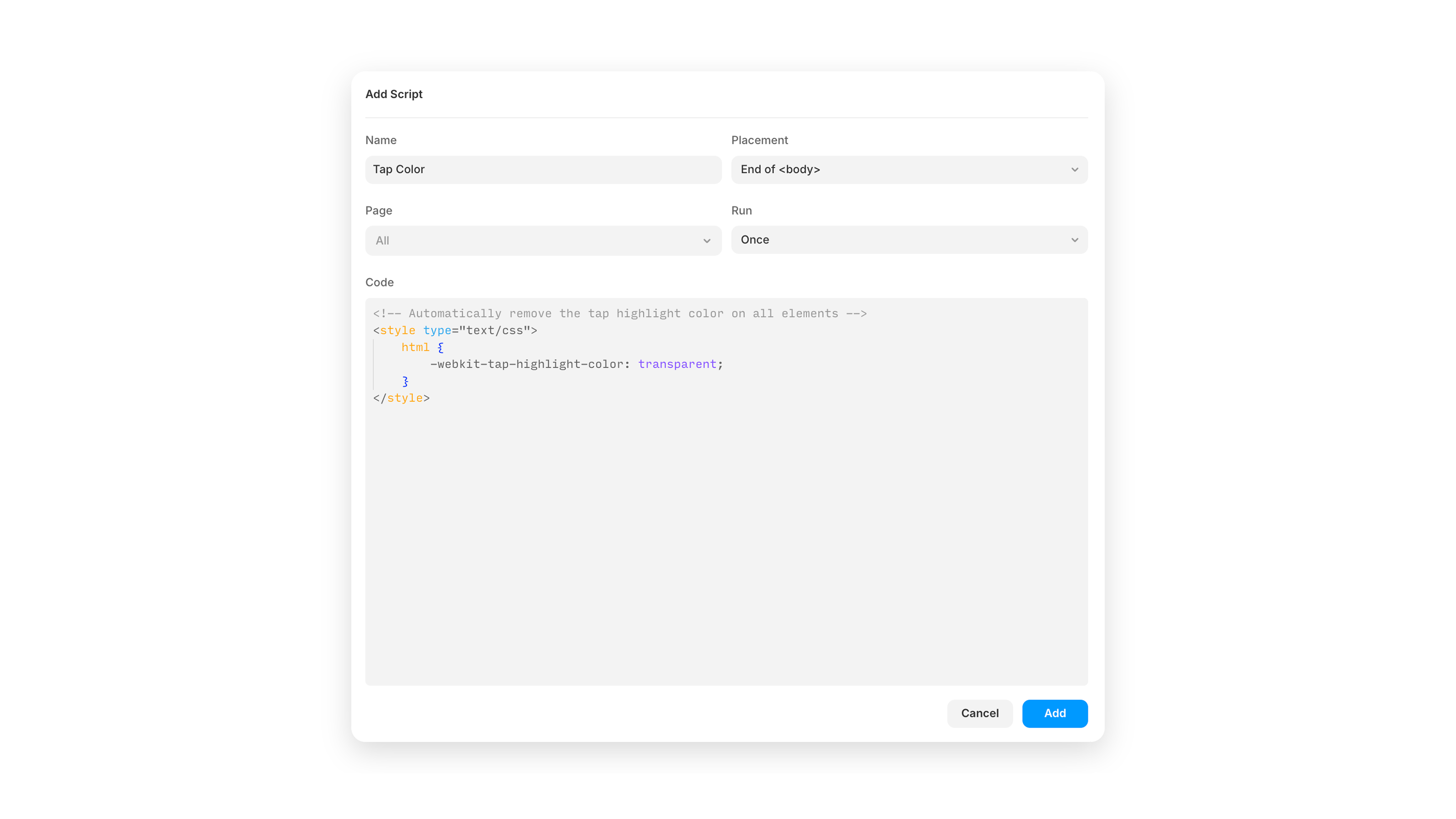
To remove the highlight for your entire Framer site, you can use a global CSS override.
Go to: Site Settings → Custom Code → Add Script then paste this:
This removes the blue box entirely across your site.
This is the simplest and most reliable solution.
Changing the tap color inside Framer
Framer also gives you the option to set a tap color on individual layers. You can find it under:
Styles → Tap Color
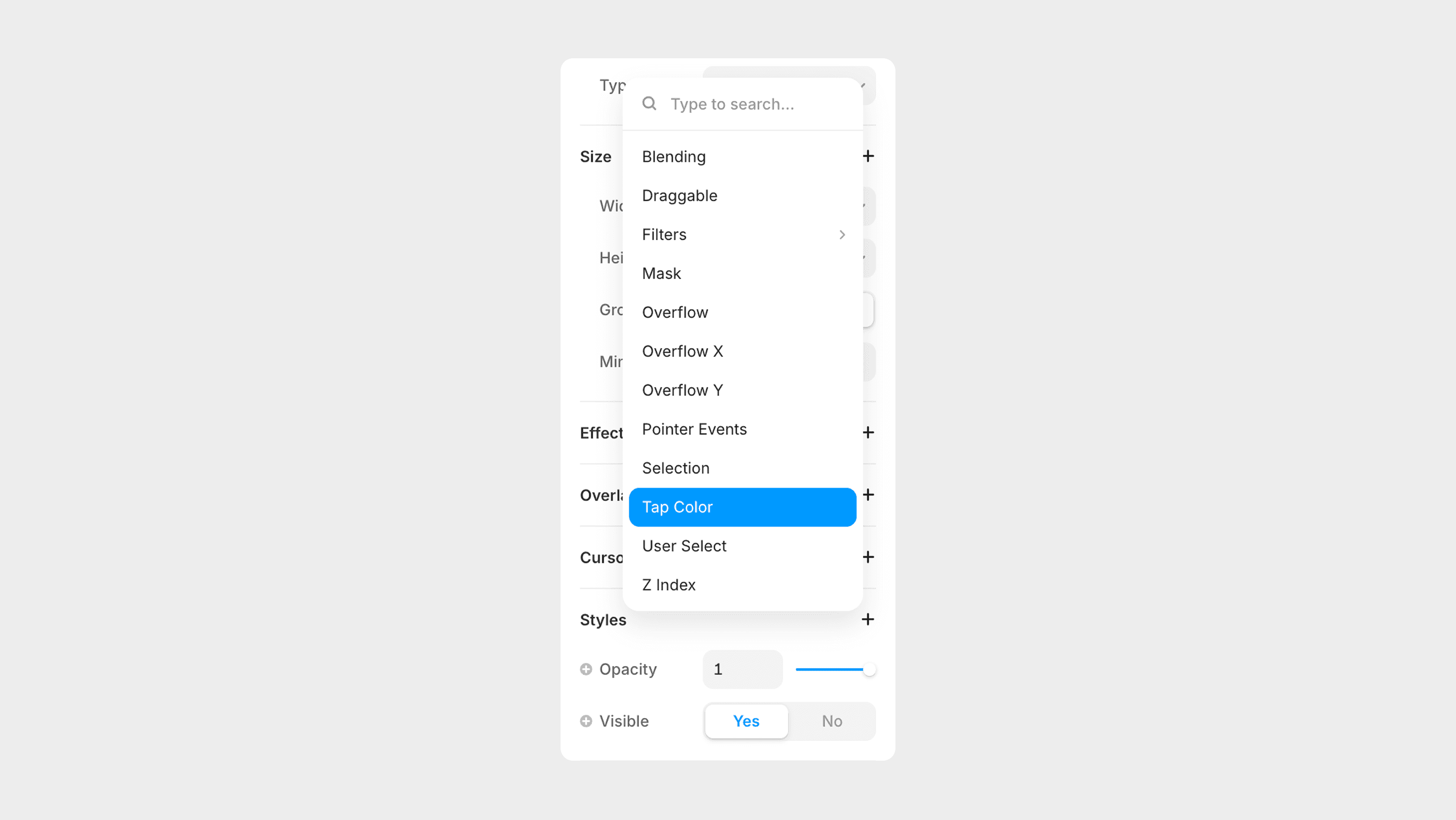
This works well if you want a specific tap color on a specific element. But it is important to know: Framer cannot change the tap color globally without custom code.
If you want one universal tap color across your entire site, you must use the CSS method above. Framer only gives you per-element control in the UI.
Quick summary, here is what you can do:
Remove the blue highlight globally with one CSS rule
Set tap color individually inside Framer
Combine both if you want a custom global color and specific overrides
This gives you full control over how your website feels on mobile.
If you want help polishing your Framer project or improving your mobile experience, feel free to reach out anytime.
Don't forget to share this post!