Framer Pricing 2026: Free, Basic & Pro Plans Explained
How much does Framer cost in 2026? Compare the Free, Basic ($10/mo) and Pro ($30/mo) plans, monthly vs yearly prices, add-ons, limits and ways to save.
 Clément Lionne
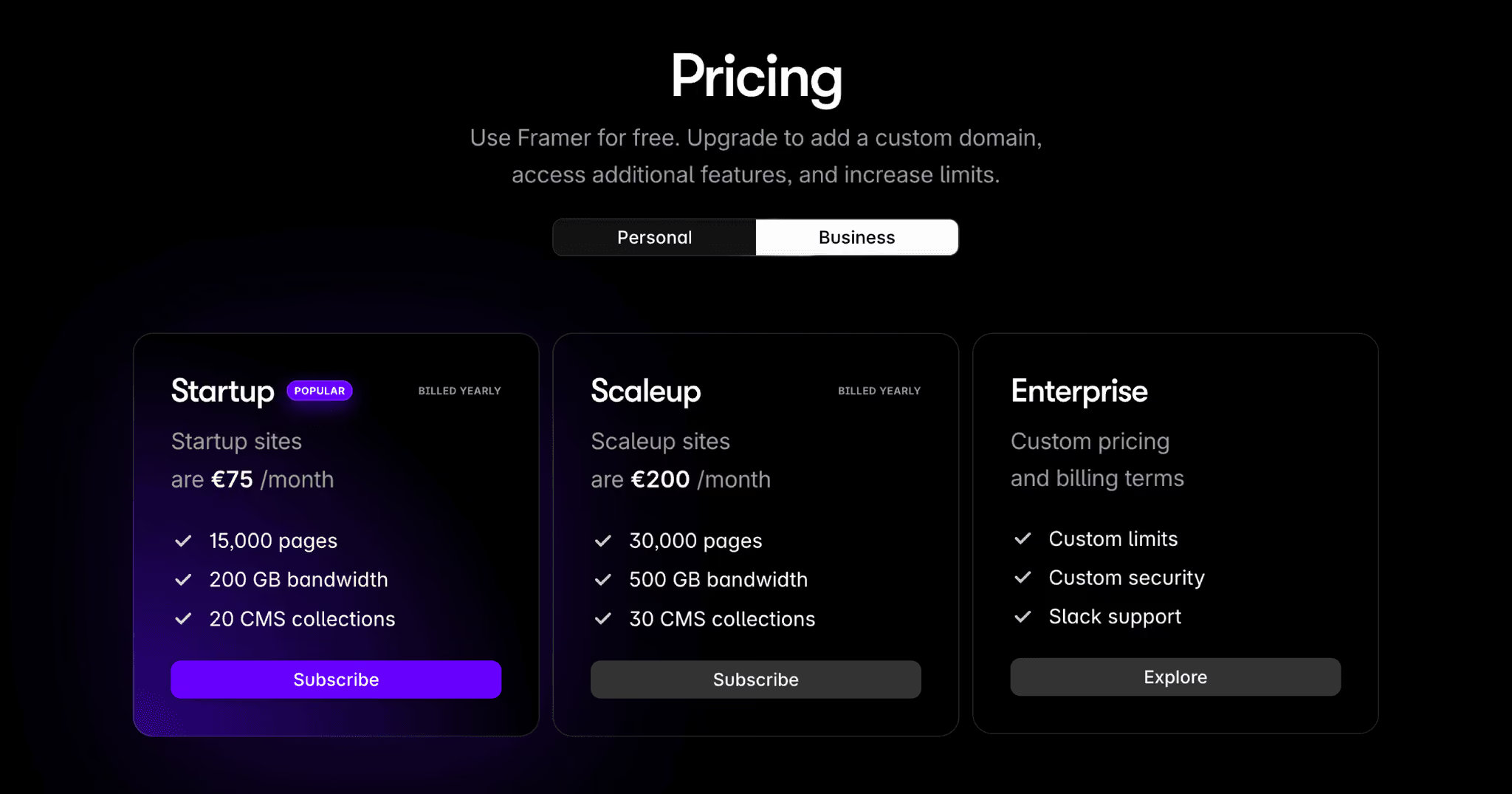
Framer simplified its pricing. The old Mini, Basic, Pro, Startup and Scaleup plans from 2024 and early 2025 are gone, and today there are four site plans: Free, Basic, Pro and Enterprise.
This guide covers what each Framer plan costs in 2026, what you get, the limits that matter, and how to pay less. Prices below are taken from framer.com/pricing in October 2026.
Framer Pricing at a Glance
| Plan | Price (yearly) | Pages | CMS collections | Bandwidth |
|---|---|---|---|---|
| Free | $0 | 1,000 | 10 | 1 GB |
| Basic | $10/mo | 30 | 2 | 50 GB |
| Pro | $30/mo | 150 | 10 | 100 GB |
| Enterprise | Custom | Custom | Custom | Custom |
Framer prices are per site. If you run three websites, you pay for three site plans. AI credits are the exception: they are shared across your whole workspace.
How Much Does Framer Cost?
Framer costs $0 on the Free plan, $10 per month for Basic and $30 per month for Pro when billed yearly. Enterprise is priced on request.
Paying monthly costs about a third more, around $15 per month for Basic and $45 per month for Pro. Yearly billing also includes a complimentary custom domain, so if you know you will keep the site for a year, the yearly plan is almost always the cheaper option.
Prices are shown in your local currency at checkout and taxes such as VAT are added on top.
Free Plan: $0
The Free plan is for trying Framer and for non-commercial projects.
What you get:
- Unlimited projects on a free Framer domain (for example
yoursite.framer.website) - Up to 1,000 pages and 10 CMS collections
- 1 GB of bandwidth and 5 MB file uploads
- One free locale to try localization
- Up to 3 editors in a workspace with no subscription
- 500 AI credits to try Framer’s Agents
Limits:
- You can’t connect your own domain
- 1 GB of bandwidth is enough for a test site, not for real traffic
Basic Plan: $10/month
The Basic plan is Framer’s entry paid plan, aimed at students, freelancers and small studios. It is the cheapest way to put a Framer site on your own domain.
What you get:
- Your own custom domain, with built-in SEO settings
- 30 pages, 2 CMS collections and 1,000 CMS items
- 50 GB of bandwidth
- 10 editor seats
- 30 days of site analytics history
- 1,000 to 15,000 AI credits per month (double credits in the first month)
Limits:
- 30 pages is fine for a portfolio or landing page but tight for a blog or a growing marketing site
- Only 2 CMS collections
- No staging environment, branching or site redirects
Pro Plan: $30/month
The Pro plan is built for teams that run their whole marketing site on Framer, such as startups, agencies and scale-ups.
What you get:
- 150 pages, 10 CMS collections and 2,500 CMS items
- 100 GB of bandwidth
- Site redirects, a staging environment and branching with previews
- 90 days of analytics history
- 3,000 to 100,000 AI credits per month (double credits in the first month)
Limits and add-ons: Pro is the only self-serve plan you can extend. You can add pages ($20 per 100, up to 700), CMS collections ($40 per 10, up to 40), CMS items ($20 per 10,000, up to 40,000) and bandwidth ($40 per 100 GB, up to 2 TB).
Enterprise Plan: Custom Pricing
Enterprise is for companies that need more than Pro allows. It comes with custom limits for pages, CMS and bandwidth, unlimited editors and analytics history, SSO and SCIM, an uptime guarantee, all hosting locations, up to 50 firewall rules, and annual invoicing by card or bank transfer. You request a quote or a trial from Framer’s sales team.
Framer Add-ons
On top of a site plan, Framer sells a few add-ons:
- Extra editors: $20 per editor, or $10 per content-only editor
- Extra locales: $20 per locale, up to 20, for translated versions of your site
- Convert: $50 per 500,000 events for A/B tests, funnels and tracked events
- Advanced Hosting: $200 for rewrites, firewall rules, custom security headers and up to 500 static files (included on Enterprise)
Which Framer Plan Should You Choose?
- Just exploring or building a side project? Start on the Free plan. You can upgrade a site later without rebuilding it.
- Portfolio, landing page or small business site? Basic gives you a custom domain for the lowest price.
- Company website with a blog, docs or many CMS pages? Go straight to Pro. You will need the extra pages, collections, redirects and staging.
- Large team with security or compliance requirements? Talk to Framer about Enterprise.
How to Save Money on Framer
- Pay yearly. It is roughly a third cheaper than monthly billing and includes a free domain.
- Only upgrade the sites that need it. Plans are per site, so keep drafts and experiments on the Free plan.
- Check for partner promo codes. We have offered the code “partner25proyearly” for 3 free months on a yearly Pro plan. Promo codes change, so check that it still applies at checkout.
- Ask about non-profit and open-source projects. Framer says it can be flexible with limits for open-source and non-revenue side projects.
FAQ
Is Framer free?
Yes. The Free plan lets you build and publish unlimited projects on a Framer domain. You only need a paid plan to use your own domain or get more bandwidth.
How much does Framer cost per month?
Basic costs $10 per month and Pro costs $30 per month per site when billed yearly. Monthly billing costs more, about $15 and $45.
Is Framer pricing per site or per user?
Per site. Each website you publish on a custom domain needs its own plan. Extra editors are billed per seat on top.
What happened to the Mini, Startup and Scaleup plans?
Framer retired them when it simplified pricing. Mini is closest to today’s Basic plan, and Startup and Scaleup are covered by Pro with add-ons or by Enterprise.
What happens if I go over a limit?
For some limits Framer asks you to upgrade. For bandwidth, Framer lets you go over your limit for one month before you need to upgrade.
Does Framer offer a student discount?
Framer has a student program, and its Basic plan is aimed at students and freelancers. Check the students page for the current offer.
Can I get a refund?
If you live in the EU or Turkey, you can get a refund for a subscription bought in the last 14 days.